Best Smart Thermostat for Older Homes Without a C-Wire (2026)
If your home was built before smart thermostats existed, there is a good chance the wire your new thermostat needs most is the one you do not have. That wire is called the C-wire, or common wire. Many modern thermostats need it for steady power, and many older heating and cooling systems were never wired with one. The result is a frustrating moment that a lot of homeowners in the United States know well: the box says the thermostat is easy to install, but your wall plate tells a different story.
This guide is for you if you live in an older home, you have opened your thermostat and found only a handful of wires, and you want a clear, honest path forward. It is not another general list of the best thermostats on the market. Instead, it focuses strictly on compatibility and setup: what a C-wire does, how to check whether you actually have one, and the four realistic ways to get a smart thermostat working without one. It also covers the one situation where you should stop and call a professional, because not every heating system is safe to adapt.
What a C-Wire Actually Does, in Plain English
A traditional thermostat is a little like a light switch. When your home needs heat, it closes a circuit and tells the furnace to run. When the room is warm enough, it opens the circuit again. That simple switching job needs almost no power of its own, which is why old thermostats could run for years on small batteries or need no battery at all.
A smart thermostat is a small computer on your wall. It keeps a screen lit, connects to Wi-Fi, runs a schedule, senses occupancy, and sometimes talks to other devices in your home. All of that needs a steady supply of power, not just a trickle. The C-wire provides that steady power by completing a low-voltage circuit between your thermostat and your heating and cooling equipment. Without it, a smart thermostat may try to draw power in other ways, and that is where problems begin.
The classic symptom of a missing C-wire is a thermostat that works for a while and then misbehaves. It may go blank, lose its Wi-Fi connection, restart, or show a low-battery warning. Worse, it can cause your furnace or air conditioner to short-cycle, turning on and off rapidly, or to run when it should not. None of this means the thermostat is broken. It usually means the thermostat is not getting the continuous power it was designed to expect.
Step One: Check What Wires You Already Have
Before you buy anything, look at your current thermostat wiring. Turn off power to your heating and cooling system at the breaker first, and leave it off until the thermostat is back on the wall. This is low-voltage wiring, but the breaker step is still the safe habit, and it protects your equipment from an accidental short.
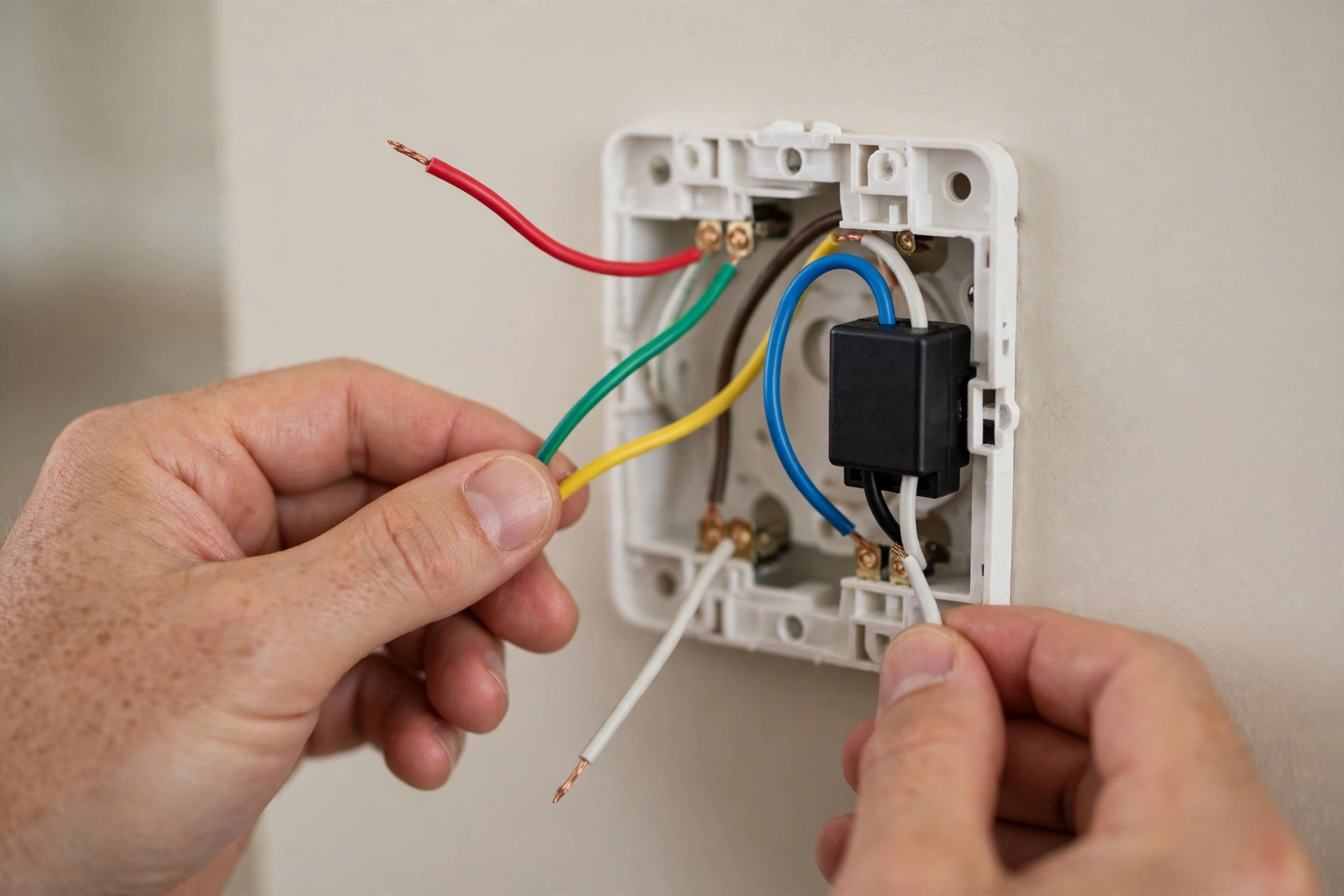
Remove the thermostat faceplate from its wall plate. You should see several small wires, each connected to a labeled terminal. Common labels include R, W, Y, G, and C. The R wire brings power, W usually calls for heat, Y calls for cooling, and G controls the fan. If a wire is connected to the C terminal, you may already have a C-wire, even if your old thermostat did not use it in an obvious way. If the C terminal is empty, look behind the wall plate for an extra wire that is tucked away, taped off, or cut short. Many older homes have a spare wire in the cable bundle that was never connected at either end.
Option 1: Use a Spare Wire as Your C-Wire
Using a spare wire is the cleanest fix when it is available, because it gives the thermostat a genuine C-wire with no extra hardware in the middle. The idea is simple: take an unused wire in the existing cable, connect it to the C terminal at the thermostat, and connect the same wire to the C terminal on the furnace control board. The thermostat then receives steady power exactly as it was designed to.
There is one important trade-off to understand. Sometimes the only spare wire is the G wire, which controls the fan independently. Some installers repurpose the G wire as a C-wire, which gives the thermostat power but removes your ability to run the fan on its own without heating or cooling. For many households that is an acceptable trade, especially if you rarely use the fan-only setting. For others, particularly in homes where circulating air matters for comfort, it is a real loss. Think about how you actually use the fan before you give up that wire.
Option 2: Use an Add-a-Wire Kit
An add-a-wire kit, sometimes called a wire splitter or wire saver, solves the problem differently. Instead of finding a spare wire, it lets two thermostat signals share a single existing wire. A small module is installed at the furnace end, and a matching module or wiring change is made at the thermostat end, so that, for example, the fan and cooling signals can travel over one conductor without interfering with each other. That frees up a wire to become the C-wire.
Option 3: Use a Power Extender Kit at the Furnace
A power extender kit, often called a C-wire adapter or power extension kit, is the solution many thermostat makers now include in the box or sell alongside their thermostats. It is a small module that installs at the furnace control board. It takes the existing wires and rearranges how they deliver power, so the thermostat receives the steady power it needs without a dedicated C-wire running all the way from the furnace to the wall.
Option 4: Choose a Thermostat Designed to Run Without a C-Wire
The fourth option is to sidestep the wiring problem entirely by choosing a thermostat that is designed to run without a C-wire. Some models run on batteries, and others use power-stealing techniques that draw small amounts of power from the heating and cooling circuits when the system is running. For a home where rewiring is impractical and an adapter kit is not compatible, this can be the right answer.
Battery-powered models have a straightforward trade-off: you will need to replace or recharge batteries on a schedule, and some features may be limited to save power. A display that dims quickly, a Wi-Fi connection that sleeps more aggressively, or a sensor that updates less often may all be part of that bargain. For many people, that is a small price for a thermostat that simply works in an older home, but it is worth knowing before you buy, especially if you want a bright, always-on display in a hallway.
Power-stealing models avoid batteries but can introduce the very symptoms a C-wire is meant to prevent, such as short-cycling or a furnace that behaves oddly, particularly on systems where the thermostat draws power in a way the equipment does not expect. This is not a flaw in every such model, but it is a reason to check compatibility carefully and to pay attention to how your system behaves in the first weeks after installation. If your furnace starts short-cycling after a new thermostat goes in, do not ignore it. Revert to your old thermostat if needed and get professional advice.
The Line-Voltage Warning: Baseboard Heaters Are Different
Everything above assumes a low-voltage system, which is what most forced-air furnaces, air conditioners, and heat pumps use. Electric baseboard heaters are a different world, and this warning matters because getting it wrong can be dangerous.
Baseboard heaters often run on line voltage, meaning the thermostat switches the full household voltage that powers the heater, rather than a low-voltage control signal. A standard low-voltage smart thermostat must never be connected to a line-voltage system. The wiring looks different, the thermostat is built differently, and the consequences of a mismatch can include damaged equipment and a fire risk.
If your home is heated by electric baseboards, wall heaters, or radiant panels controlled by a thermostat on the wall, do not use this guide’s low-voltage solutions. Look specifically for thermostats rated for line voltage, or ask a licensed electrician to confirm what system you have and what is safe to install. If you are unsure which type of system you have, that uncertainty itself is the signal to ask a professional before you touch the wiring. The same caution applies to millivolt systems, such as some older gas fireplaces and wall heaters, which have their own compatibility rules.
Comparison: Which No-C-Wire Path Fits Your Home?
| Path | Best when | Main trade-off | Difficulty |
|---|---|---|---|
| Spare wire as C-wire | A spare wire exists in the cable | May sacrifice fan-only control | Moderate |
| Add-a-wire kit | No spare wire, cable cannot be replaced easily | Adds complexity | Moderate |
| Power extender kit | Conventional forced-air system, maker offers a kit | Limited system fit | Moderate |
| Battery thermostat | Rewiring is impractical and kits are incompatible | Batteries to maintain | Low |
| Professional new cable run | Any system, or you want the cleanest long-term fix | Highest upfront cost | Professional |
A Practical Decision Path
Start with the wiring check, not with a shopping list. If you have a spare wire, use it, and you are done. If you do not, and your thermostat maker offers a power extender kit that its compatibility checker says fits your system, that kit is usually the next simplest step. If no maker kit fits, an add-a-wire kit is the next option for a confident do-it-yourselfer, and a battery thermostat is the next option for someone who wants the simplest installation.
Stop and call a heating professional or licensed electrician if any of these apply: you have baseboard or line-voltage heat, you cannot identify your system type, your furnace panel has no clearly labeled control board, your system is a heat pump or multi-stage system and the kit compatibility is unclear, or your system behaves strangely after installation. A service visit costs more than a kit, but it is far cheaper than a damaged furnace, and it gives you a clean, documented installation that any future technician can understand.
For broader context on how thermostats fit into a connected home, see our guide to the 10 best smart home devices, and if you are comparing voice control options, our comparison of Google Home vs Alexa vs HomeKit explains how the major assistants differ in general terms.
Frequently Asked Questions
How do I know if I have a C-wire?
Turn off power at the breaker, remove the thermostat faceplate, and look for a wire connected to the terminal labeled C. Also look for a spare, unused wire tucked behind the wall plate, and check whether that same wire is connected to the C terminal at your furnace control board. A wire counts as a C-wire only when it is connected at both ends.
Can I install a smart thermostat without a C-wire at all?
Yes, in many cases. A spare wire, an add-a-wire kit, a power extender kit, or a battery-powered thermostat can each solve the problem, depending on your system. What you should not do is install a thermostat that requires a C-wire and hope it will work without one. That is how blank screens, lost connections, and short-cycling happen.
Is it safe to install a power extender kit myself?
For many conventional forced-air systems, the maker-designed kit is intended for careful do-it-yourself installation, provided you follow the instructions exactly and turn off power first. If you cannot identify your system, cannot reach the furnace safely, or have a heat pump or multi-stage system, get professional help instead.
What if my home has electric baseboard heaters?
Do not install a standard low-voltage smart thermostat on a line-voltage baseboard system. Look for thermostats specifically rated for line voltage, and ask a licensed electrician if you are unsure what system you have. Safety comes before smart features.
Will a smart thermostat without a C-wire damage my furnace?
A properly matched solution should not. Damage risk comes mainly from mismatched solutions, such as a power-stealing thermostat on an incompatible system, or incorrect wiring. Watch for short-cycling or erratic behavior in the first weeks, and seek advice promptly if you see it.
Should I just have a professional run a new C-wire?
If you plan to stay in the home long term, want the cleanest setup, or have already tried a kit without success, a professionally run new cable is often worth it. It removes the adapter from the equation entirely and makes future thermostat changes simple. Get a quote first, because the cost depends heavily on how accessible the cable route is through your walls.