10 Best Smart Door Locks for Home Security in 2026
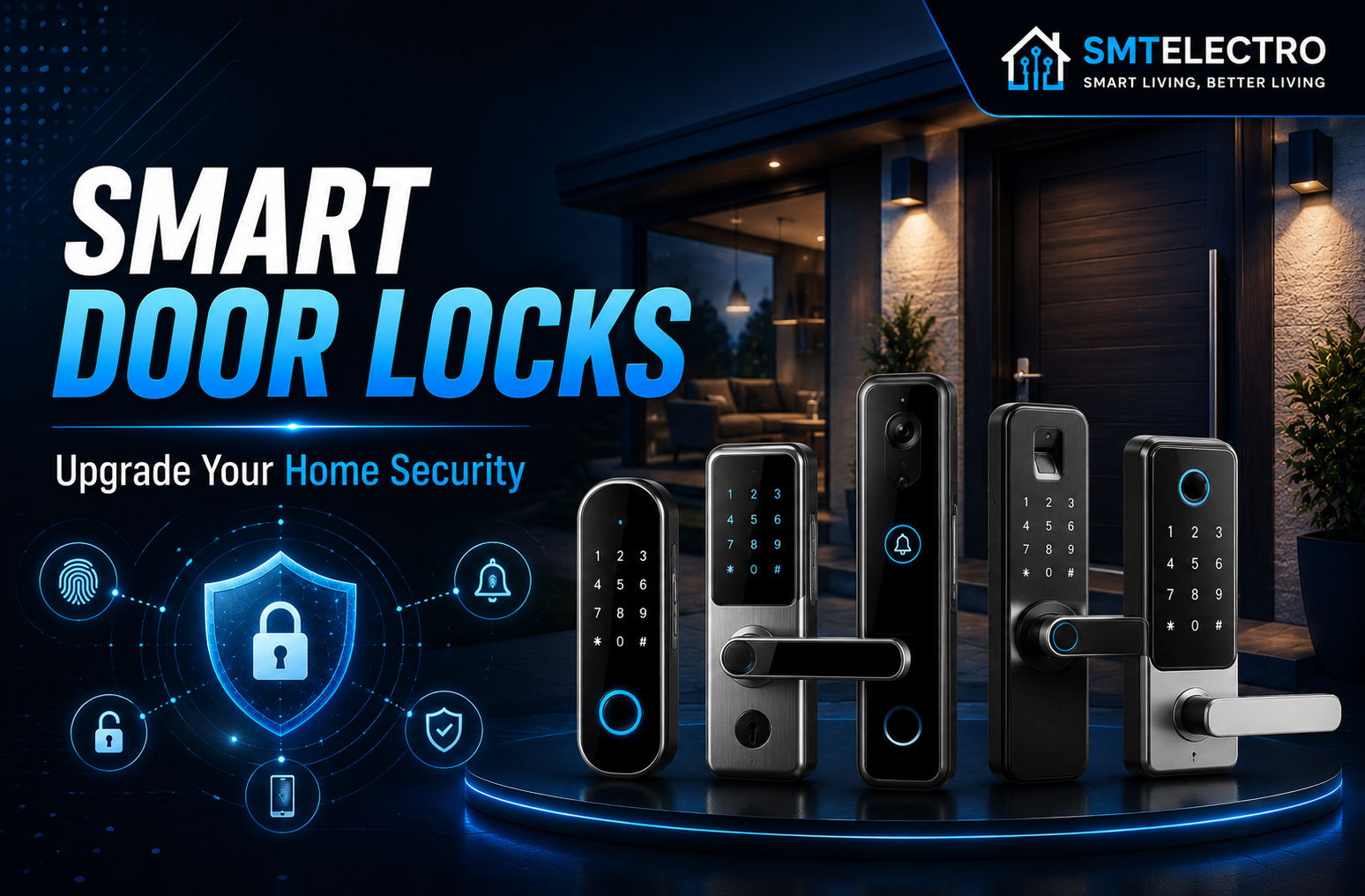
Discover the best smart door locks for home security in 2026. Compare features, pros, cons, and buying tips to choose the right keyless smart lock for your home.
Home security has come a long way in recent years, and smart door locks are one of the biggest upgrades homeowners are making. Unlike traditional locks, smart door locks let you lock and unlock your door using a smartphone, keypad, fingerprint, or even voice commands. They also make it easier to monitor who enters your home, create temporary access codes for guests, and receive instant notifications when your door is opened.
Whether you’re securing your family home, apartment, rental property, or office, investing in a reliable smart lock can improve both convenience and security. However, with so many models available, choosing the right one isn’t always easy. Some locks focus on advanced security features, while others prioritize smart home integration or budget-friendly pricing.
In this guide, we’ll compare the 10 best smart door locks for home security in 2026, explain their key features, highlight their pros and cons, and help you choose the perfect option based on your needs.
Quick Comparison Table
| Smart Door Lock | Best For | Unlock Methods | Works With |
| Yale Assure Lock 2 | Overall Performance | App, Keypad, Key | Google, Alexa, Apple Home |
| Schlage Encode Plus | Apple Users | App, Keypad, Key | Apple Home, Alexa |
| Ultraloq U-Bolt Pro WiFi | Fingerprint Security | Fingerprint, App, Keypad | Google, Alexa |
| August Wi-Fi Smart Lock | Renters | App, Auto Unlock | Google, Alexa, Apple Home |
| Aqara Smart Lock U100 | Matter Support | Fingerprint, NFC, App | Matter, Apple Home |
| Lockly Secure Pro | Advanced Features | Fingerprint, PIN, App | Google, Alexa |
| Wyze Lock Bolt | Budget Option | Fingerprint, Keypad | Bluetooth |
| Eufy Smart Lock C220 | Value for Money | Fingerprint, App, Keypad | Google, Alexa |
| Philips Smart Deadbolt | Everyday Use | Fingerprint, PIN | Alexa |
| Level Lock+ | Hidden Smart Lock | App, Key | Apple Home |
Google Home vs Alexa vs HomeKit: Which Is Better in 2026?
Why Choose the Best Smart Door Locks?
A smart lock offers much more than keyless entry. Modern models allow you to manage access remotely, receive real-time alerts, create temporary passcodes for visitors, and integrate with your smart home ecosystem.
Some key benefits include:
- No need to carry physical keys
- Remote locking and unlocking
- Temporary access codes for guests or service providers
- Activity logs showing who entered your home
- Voice assistant support
- Better home automation
For homeowners looking to improve convenience without sacrificing security, a smart door lock is one of the most practical upgrades available.
How We Selected These Smart Door Locks
To create this list, we evaluated each lock based on:
- Security features
- Ease of installation
- Mobile app experience
- Smart home compatibility
- Build quality
- Battery life
- User reviews
- Overall value for money
The products below are from well-known manufacturers with established reputations in the smart home industry.
1. Yale Assure Lock 2 – Best Overall Smart Door Lock
The Yale Assure Lock 2 is one of the most versatile smart locks available today. It combines sleek design with dependable security and supports multiple smart home platforms, making it an excellent choice for most homeowners.
Whether you prefer using a keypad, smartphone app, or traditional key (depending on the model), this lock provides flexible access options while maintaining a high level of security.
Key Features
- Slim and modern design
- Wi-Fi and Bluetooth connectivity
- Remote locking and unlocking
- Auto-lock and auto-unlock
- Supports Google Home, Amazon Alexa, and Apple Home
- Temporary guest access
Pros
✔ Easy installation
✔ Excellent mobile app
✔ Strong smart home compatibility
✔ Reliable security features
✔ Great build quality
Cons
✘ Wi-Fi module may reduce battery life
✘ Premium price compared to basic smart locks
Best For
Homeowners looking for the best balance of security, convenience, and smart home integration.
2. Schlage Encode Plus – Best for Apple Home Users
If you’re deeply invested in the Apple ecosystem, the Schlage Encode Plus is one of the strongest options available. It supports Apple Home and Apple Home Key, allowing compatible iPhone and Apple Watch users to unlock the door with a simple tap.
The lock also includes a built-in Wi-Fi connection, eliminating the need for an additional hub.
Key Features
- Built-in Wi-Fi
- Apple Home Key support
- Secure keypad
- Remote management
- Auto-lock feature
- Durable ANSI Grade 1 construction
Pros
✔ Excellent security rating
✔ Perfect for Apple users
✔ Fast remote access
✔ High-quality construction
✔ Easy-to-use app
Cons
✘ Higher price
✘ Some advanced features work best within Apple’s ecosystem
Best For
Users who primarily use Apple Home, iPhone, and Apple Watch.
3. Ultraloq U-Bolt Pro WiFi – Best Fingerprint Smart Lock
The Ultraloq U-Bolt Pro WiFi is designed for homeowners who want maximum flexibility. It offers several unlocking methods, including fingerprint recognition, keypad, smartphone app, mechanical key, and voice control.
Its fingerprint sensor is quick and accurate, making daily access simple and convenient.
Key Features
- Fingerprint scanner
- Wi-Fi connectivity
- Smartphone control
- Auto-lock and auto-unlock
- Temporary access codes
- Voice assistant support
Pros
✔ Multiple unlocking methods
✔ Fast fingerprint recognition
✔ Excellent security
✔ Easy remote management
✔ Good battery life
Cons
✘ Mobile app can occasionally be slow
✘ Slightly larger than competing models
Best For
Families who want fast fingerprint access and multiple backup unlocking options.
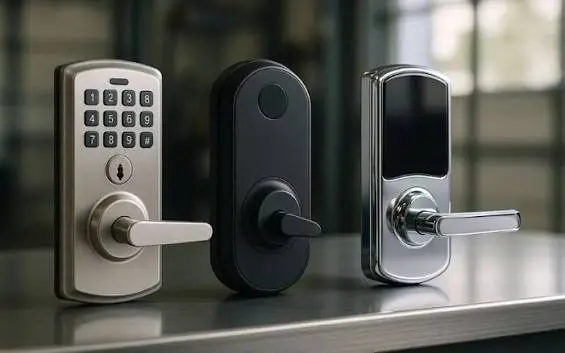
4. August Wi-Fi Smart Lock – Best for Renters
The August Wi-Fi Smart Lock is unique because it replaces only the interior portion of your existing deadbolt. This means you can continue using your original keys while adding smart functionality to your door.
It’s especially popular among renters because it doesn’t significantly alter the exterior appearance of the lock and is generally easy to install and remove.
Key Features
- Easy DIY installation
- Built-in Wi-Fi
- Auto-lock and auto-unlock
- Door status monitoring
- Guest access
- Works with Google Assistant, Amazon Alexa, and Apple Home
Pros
✔ Keeps your existing deadbolt
✔ Easy installation
✔ Compact design
✔ Reliable app
✔ Excellent for rental properties
Cons
✘ Battery life could be better
✘ Slightly slower response than some competitors
Best For
Renters and homeowners who want to upgrade their existing deadbolt without replacing the entire lock.
5. Aqara Smart Lock U100 – Best Matter-Compatible Smart Lock
If you’re looking for a smart lock that’s ready for the future, the Aqara Smart Lock U100 is an excellent choice. It supports the Matter standard, making it compatible with multiple smart home platforms, including Apple Home, Google Home, and Amazon Alexa (through supported Matter controllers).
The U100 also features a responsive fingerprint sensor, NFC unlocking, and a traditional physical key as a backup. Its sleek design and reliable performance make it a strong option for modern homes.
Key Features
- Matter compatibility
- Fingerprint recognition
- Apple Home Key support
- NFC unlocking
- Auto-lock function
- Temporary passcodes for guests
- Durable zinc alloy construction
Pros
✔ Supports the latest Matter standard
✔ Fast and accurate fingerprint sensor
✔ Works well with Apple Home
✔ Multiple unlocking meth
Cons
✘ Some features require an Aqara hub
✘ Premium pricing
Best For
Homeowners building a Matter-compatible smart home.
6. Lockly Secure Pro – Best for Advanced Security
The Lockly Secure Pro stands out because of its patented PIN Genie keypad, which changes the position of numbers every time you unlock the door. This helps prevent people from guessing your PIN based on fingerprint marks or repeated use.
In addition to the secure keypad, it includes fingerprint unlocking, smartphone control, voice assistant compatibility, and offline access codes for visitors.
Key Features
- PIN Genie secure keypad
- Fingerprint access
- Smartphone app
- Voice assistant support
- Temporary offline access codes
- Auto-lock feature
Pros
✔ Unique PIN security
✔ Excellent fingerprint performance
✔ Strong build quality
✔ Multiple access options
✔ Reliable mobile app
Cons
✘ Slightly expensive
✘ Installation takes longer than some competitors
Best For
Users who prioritize advanced security features and enhanced PIN protection.
Matter Smart Home Explained: Complete Guide for 2026
7. Wyze Lock Bolt – Best Budget Smart Door Lock
Not everyone wants to spend hundreds of dollars on a smart lock. The Wyze Lock Bolt offers many premium features at an affordable price, making it one of the best budget-friendly options available.
Despite its lower cost, it still includes fingerprint recognition, keypad access, anti-peep protection, and a simple mobile app for managing users and settings.
Key Features
- Fingerprint scanner
- Backlit keypad
- Anti-peep PIN protection
- Bluetooth connectivity
- Emergency USB-C power
Pros
✔ Affordable price
✔ Easy installation
✔ Fast fingerprint reader
✔ Modern design
✔ Great value
Cons
✘ No built-in Wi-Fi
✘ Limited remote features without additional accessories
Best For
Budget-conscious homeowners who want a secure keyless entry system.
8. Eufy Smart Lock C220 – Best Value for Money
The Eufy Smart Lock C220 strikes an excellent balance between price, security, and features. It offers fingerprint access, smartphone control, keypad entry, and voice assistant compatibility without costing as much as premium models.
Its weather-resistant design also makes it suitable for various climates.
Key Features
- Fingerprint unlocking
- Built-in Wi-Fi
- Mobile app
- Keypad access
- Auto-lock
- Weather-resistant construction
Pros
✔ Excellent value
✔ Reliable fingerprint sensor
✔ Easy setup
✔ Good battery life
✔ User-friendly app
Cons
✘ Limited advanced automation
✘ Fewer finish options
Best For
Families looking for premium features without paying premium prices.
9. Philips Smart Deadbolt – Best for Everyday Home Security
The Philips Smart Deadbolt focuses on simplicity and dependable security. It offers fingerprint unlocking, PIN access, and traditional key entry while maintaining a clean, modern appearance.
Its straightforward interface makes it especially suitable for users who want smart functionality without a complicated setup process.
Key Features
- Fingerprint recognition
- PIN code access
- Auto-lock
- Voice guidance
- Tamper alarm
- Emergency power backup
Pros
✔ Easy to use
✔ Strong security
✔ Quiet operation
✔ Attractive design
✔ Reliable fingerprint reader
Cons
✘ Limited smart home integrations
✘ Fewer automation features
Best For
Homeowners who want a dependable and easy-to-use smart lock.
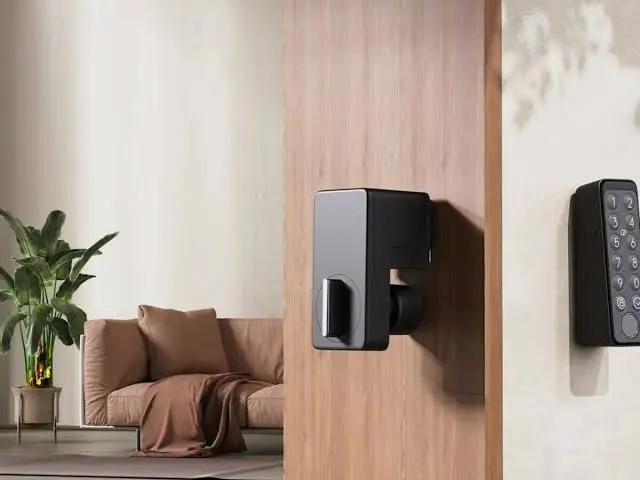
10. Level Lock+ – Best Invisible Smart Lock
Unlike most smart locks, the Level Lock+ is designed to remain almost completely hidden. From the outside, it looks like a standard deadbolt, but inside it contains advanced smart technology.
This makes it an excellent choice for homeowners who prefer a traditional appearance while enjoying modern smart features.
Key Features
- Hidden smart technology
- Apple Home compatibility
- Smartphone control
- Auto-lock
- Physical key support
- Quiet operation
Pros
✔ Elegant hidden design
✔ Easy installation
✔ Excellent build quality
✔ Quiet locking mechanism
✔ Works with Apple Home
Cons
✘ Premium price
✘ Fewer unlock methods than competitors
Best For
Homeowners who want a minimalist smart lock without changing the appearance of their front door.
10 Best Smart Home Devices That Save Time and Energy in 2026
Comparison of the Top Smart Door Locks
| Smart Lock | Fingerprint | Wi-Fi | Matter | Best For |
| Yale Assure Lock 2 | Optional | ✅ | Partial | Overall Performance |
| Schlage Encode Plus | ❌ | ✅ | Partial | Apple Users |
| Ultraloq U-Bolt Pro WiFi | ✅ | ✅ | No | Fingerprint Security |
| August Wi-Fi Smart Lock | ❌ | ✅ | No | Renters |
| Aqara U100 | ✅ | Via Hub | ✅ | Matter Homes |
| Lockly Secure Pro | ✅ | Optional | No | Advanced Security |
| Wyze Lock Bolt | ✅ | ❌ | No | Budget Buyers |
| Eufy Smart Lock C220 | ✅ | ✅ | No | Best Value |
| Philips Smart Deadbolt | ✅ | Limited | No | Everyday Use |
| Level Lock+ | ❌ | ✅ | Partial | Minimalist Design |
Which Smart Door Lock Should You Buy?
The best smart lock depends on your specific needs:
- Best Overall: Yale Assure Lock 2
- Best for Apple Users: Schlage Encode Plus
- Best Fingerprint Lock: Ultraloq U-Bolt Pro WiFi
- Best Budget Option: Wyze Lock Bolt
- Best Matter-Compatible Lock: Aqara U100
- Best for Renters: August Wi-Fi Smart Lock
- Best Value for Money: Eufy Smart Lock C220
- Best Premium Security: Lockly Secure Pro
Smart Door Lock Buying Guide
Choosing the right smart door lock isn’t just about finding the most expensive model. The best lock for your home depends on your security needs, smart home ecosystem, and budget. Before making a purchase, consider the following factors.
1. Compatibility with Your Smart Home
The first thing to check is whether the lock works with your preferred smart home platform. Some models integrate seamlessly with Google Home, Amazon Alexa, and Apple Home, while others may only support one or two ecosystems.
If you’ve already invested in smart home devices, choosing a compatible lock will make automation much easier.
2. Unlocking Methods
Modern smart locks offer several ways to unlock your door. The more options available, the more convenient the lock becomes.
Popular unlocking methods include:
- Fingerprint scanner
- PIN keypad
- Smartphone app
- Voice assistant
- NFC cards
- Physical key backup
- Apple Home Key (on supported models)
Choose a model that offers at least two or three unlocking methods for added flexibility.
3. Security Features
Your smart lock should provide more than convenience—it should also protect your home.
Look for features such as:
- Auto-lock
- Tamper alerts
- Encrypted communication
- Two-factor authentication
- Activity history
- Temporary guest codes
- Built-in alarm
These features help improve both security and peace of mind.
4. Battery Life
Most smart locks operate on AA batteries or rechargeable battery packs. Battery life can range from six months to over a year, depending on usage and Wi-Fi connectivity.
Choose a model that sends low-battery notifications and includes an emergency backup option, such as USB power or a physical key.
5. Ease of Installation
Many smart locks are designed for DIY installation and can be fitted using a standard screwdriver in less than an hour.
If you’re renting, consider retrofit models like the August Wi-Fi Smart Lock, which work with your existing deadbolt and require minimal modifications.
Choosing the Best Thermostats for Your Home in 2026
Tips to Keep Your Smart Door Lock Secure
Even the best smart lock needs proper maintenance to stay secure.
- Use a strong password for your mobile account.
- Enable two-factor authentication whenever possible.
- Keep the lock’s firmware updated.
- Remove access for former guests or tenants.
- Check battery levels regularly.
- Avoid sharing permanent access codes.
- Review activity logs from time to time.
These simple habits can significantly improve your home’s security.
FAQs
Are smart door locks safe?
Yes. High-quality smart locks use advanced encryption, secure authentication, and tamper protection. When installed correctly and kept up to date, they can be just as secure—or even more secure—than traditional deadbolts.
Can smart locks work without Wi-Fi?
Yes. Many smart locks continue to work via Bluetooth, fingerprint, keypad, or physical key even if your Wi-Fi connection is unavailable. Remote control features, however, usually require an internet connection.
What happens if the battery dies?
Most smart locks provide low-battery warnings well in advance. Many models also include a physical key, external USB power option, or emergency battery contacts to prevent lockouts.
Are smart locks easy to install?
Most modern smart locks are designed for DIY installation and fit standard doors. Basic installation usually takes between 20 and 45 minutes with common household tools.
Can I give temporary access to guests?
Yes. Many smart locks allow you to create temporary PIN codes or digital keys for family members, visitors, cleaners, or delivery personnel. These can often be scheduled to expire automatically.
Which smart door lock is best overall?
For most homeowners, the Yale Assure Lock 2 stands out because it combines strong security, reliable performance, multiple access methods, and broad compatibility with major smart home ecosystems.