10 Best Smart Security Cameras for Home Protection in 2026
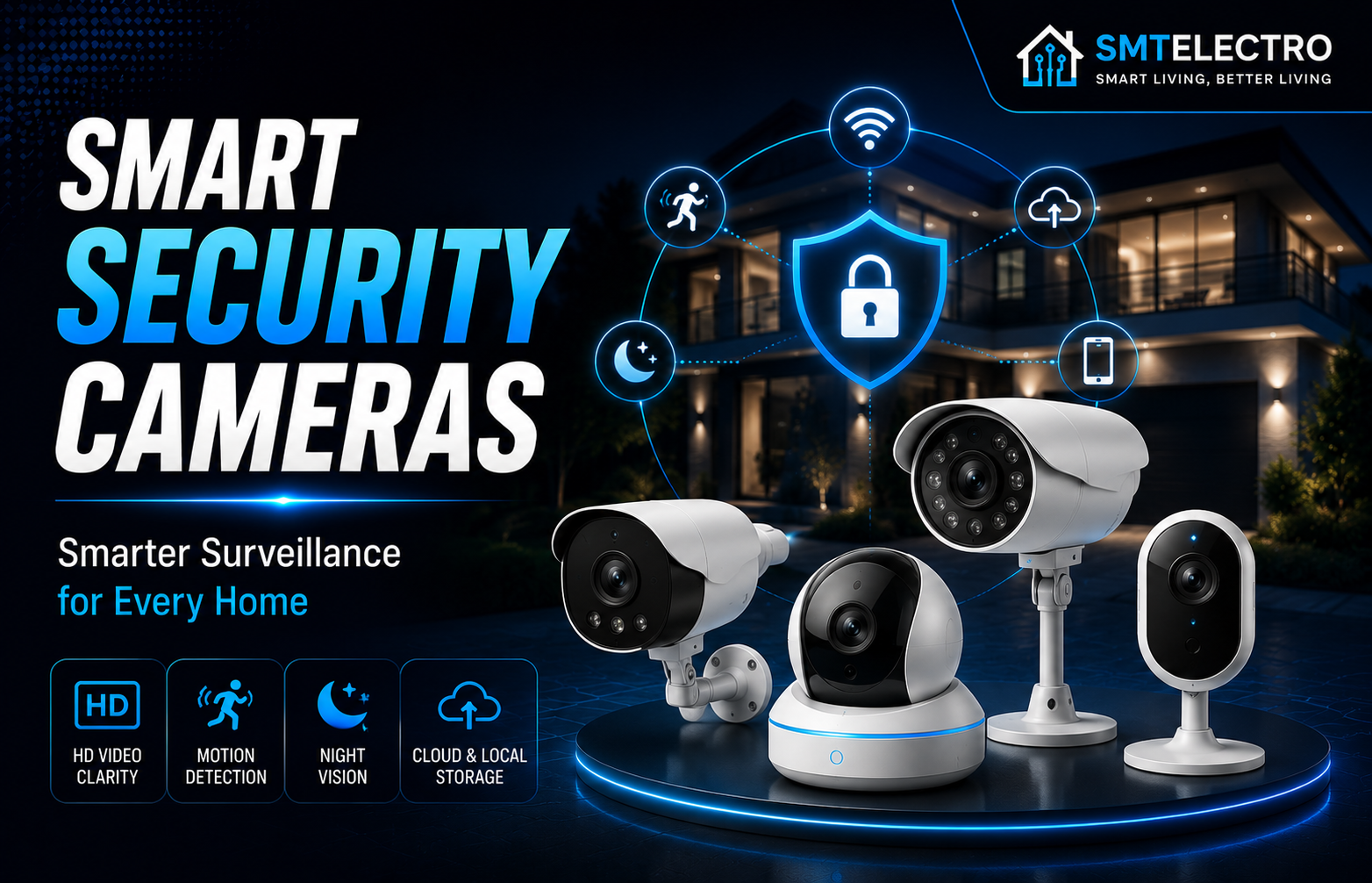
Discover the best smart security cameras for home protection in 2026. Compare indoor and outdoor security cameras, key features, pros, cons, and buying tips to find the perfect camera for your home.
Home security has evolved significantly over the last few years. Traditional CCTV systems are no longer the only option for protecting your property. Today’s smart security cameras offer high-resolution video, AI-powered motion detection, two-way audio, cloud and local storage, and real-time alerts directly to your smartphone.
Whether you’re keeping an eye on your front door, monitoring your backyard, or checking in on your pets while you’re away, a smart security camera can provide both peace of mind and greater control over your home’s security.
However, not all security cameras are built the same. Some excel in video quality, while others focus on smart home integration, battery life, or advanced AI features. Choosing the right model depends on where you plan to install it, your budget, and the features that matter most to you.
To help you make an informed decision, we’ve researched and compared the 10 best smart security cameras for home protection in 2026. This guide covers their standout features, strengths, limitations, and the types of users they’re best suited for.
10 Best Smart Home Devices That Save Time and Energy in 2026
Quick Comparison Table
| Smart Camera | Best For | Video Resolution | Indoor/Outdoor | Smart Home Support |
| Arlo Pro 5S | Best Overall | 2K HDR | Outdoor | Google, Alexa |
| Google Nest Cam (Battery) | Google Home Users | 1080p HDR | Indoor & Outdoor | Google Home |
| Ring Stick Up Cam Pro | Alexa Users | 1080p HDR | Indoor & Outdoor | Amazon Alexa |
| Eufy SoloCam S340 | Solar Security | 3K + 2K Dual Cameras | Outdoor | Google, Alexa |
| Reolink Argus 4 Pro | 4K Recording | 4K UHD | Outdoor | Google Assistant |
| TP-Link Tapo C425 | Budget Wireless | 2K QHD | Outdoor | Google, Alexa |
| Blink Outdoor 4 | Battery Life | 1080p | Outdoor | Alexa |
| Lorex 4K Smart Camera | Professional Security | 4K UHD | Outdoor | Google, Alexa |
| Wyze Cam v4 | Budget Indoor | 2.5K QHD | Indoor & Outdoor | Google, Alexa |
| Aqara Camera Hub G5 Pro | Matter Ecosystem | 2.6K | Indoor & Outdoor | Apple Home, Matter |
Why You Should Invest in a Smart Security Camera
A smart security camera does much more than record video. It acts as an extra set of eyes, helping you monitor your property whether you’re at home or traveling.
Modern smart cameras allow you to:
- Receive instant motion alerts
- Watch live video remotely
- Communicate through built-in microphones and speakers
- Record important events
- Deter unwanted visitors with sirens or spotlights
- Integrate with your smart home system
For families, pet owners, frequent travelers, and small business owners, a smart camera can significantly improve day-to-day security and convenience.
How We Chose These Best Smart Security Cameras
We evaluated each camera using several important criteria to ensure our recommendations are practical and reliable.
Our evaluation included:
- Video quality
- Night vision performance
- Motion detection accuracy
- AI-powered person and vehicle recognition
- Mobile app usability
- Smart home compatibility
- Storage options
- Weather resistance
- Ease of installation
- Overall value for money
Rather than focusing on a single feature, we considered how each camera performs in real-world everyday use.
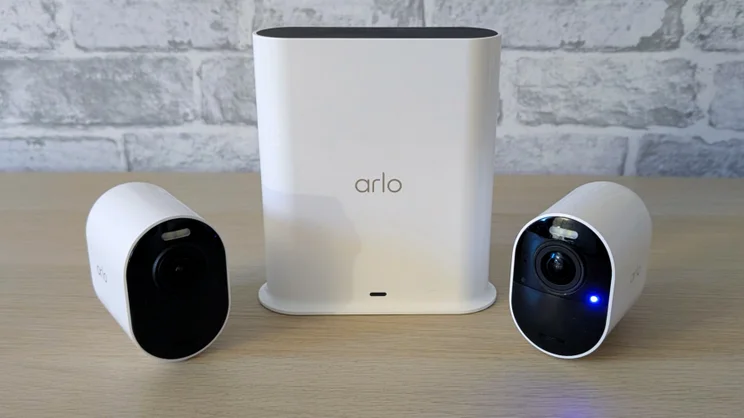
1. Arlo Pro 5S – Best Overall Smart Security Camera
The Arlo Pro 5S is one of the most well-rounded smart security cameras available today. It combines crisp 2K HDR video, reliable AI-powered detection, excellent night vision, and strong smart home compatibility in a compact weather-resistant design.
The camera performs exceptionally well in both daylight and low-light conditions, making it suitable for front doors, driveways, garages, and backyards. Its wireless installation also makes setup quick and straightforward.
Key Features
- 2K HDR video resolution
- Color night vision
- AI person, vehicle, and package detection
- Built-in spotlight
- Two-way audio
- Weather-resistant design
- Google Assistant and Amazon Alexa support
Pros
- Excellent image quality
- Reliable AI detection
- Easy wireless installation
- Strong battery performance
- Wide viewing angle
Cons
- Some advanced AI features require a subscription
- Premium price
Best For
Homeowners looking for the best overall balance of video quality, smart features, and reliability.
2. Google Nest Cam (Battery) – Best for Google Home Users
The Google Nest Cam (Battery) is an excellent option for users who already rely on Google Home. It integrates seamlessly with the Google Home app, allowing you to receive notifications, view live feeds, and manage recordings from one place.
Its battery-powered design provides flexibility during installation, while intelligent alerts help reduce unnecessary notifications by recognizing people, animals, and vehicles.
Key Features
- 1080p HDR video
- Intelligent motion detection
- Battery-powered
- Indoor and outdoor use
- Two-way communication
- Google Home integration
Pros
- Excellent Google Home integration
- Easy installation
- Reliable smart alerts
- Attractive modern design
- Weather-resistant
Cons
- Lower resolution than some competitors
- Best features require a Nest Aware subscription
Best For
Homeowners already using Google Home and Nest smart devices.
3. Ring Stick Up Cam Pro – Best for Alexa Smart Homes
The Ring Stick Up Cam Pro is a versatile security camera designed for Amazon Alexa users. It supports indoor and outdoor installation, offers reliable motion detection, and integrates smoothly with Echo devices for voice control and live viewing.
Its advanced motion technology helps reduce false alerts, while two-way audio allows you to communicate with visitors or delivery personnel from anywhere.
Key Features
- 1080p HDR video
- Advanced motion detection
- Two-way talk
- Indoor and outdoor installation
- Alexa compatibility
- Flexible power options
Pros
- Excellent Alexa integration
- User-friendly app
- Flexible mounting options
- Good motion detection
- Strong ecosystem support
Cons
- Cloud storage requires a subscription
- Limited compatibility outside the Amazon ecosystem
Best For
Users who already own Amazon Echo devices and want a fully connected smart home experience.
Choosing the Best Thermostats for Your Home in 2026
4. Eufy SoloCam S340 – Best Solar-Powered Security Camera
The Eufy SoloCam S340 stands out with its innovative dual-camera system and built-in solar panel, making it an ideal choice for homeowners who want reliable outdoor surveillance with minimal maintenance.
Its primary camera captures wide-angle footage, while the secondary telephoto camera provides detailed close-up views. Together, they deliver excellent coverage of driveways, entrances, and large outdoor spaces.
Key Features
- Dual-camera system
- 3K + 2K resolution
- Built-in solar charging
- AI motion detection
- Local storage
- No mandatory monthly subscription
Pros
- Solar-powered convenience
- Sharp video quality
- Excellent zoom capabilities
- Local storage included
- Low maintenance
Cons
- Higher upfront cost
- Solar performance depends on sunlight availability
Best For
Homeowners who want a premium outdoor camera with minimal battery maintenance and no required cloud subscription.
5. Reolink Argus 4 Pro – Best 4K Wireless Security Camera
If image quality is your top priority, the Reolink Argus 4 Pro is one of the best wireless security cameras available. It captures stunning 4K Ultra HD video, allowing you to identify faces, license plates, and other important details with greater clarity than standard 1080p cameras.
Its rechargeable battery, solar panel compatibility, and local storage options make it a practical choice for homeowners who want premium performance without ongoing subscription costs.
Key Features
- 4K Ultra HD recording
- Color night vision
- AI person, vehicle, and animal detection
- Rechargeable battery
- Solar panel support
- Local microSD storage
- IP66 weather resistance
Pros
- Exceptional 4K video quality
- No mandatory subscription
- Accurate AI detection
- Supports local storage
- Excellent weather resistance
Cons
- Larger design than some competitors
- Mobile app takes time to learn
Best For
Homeowners who want crystal-clear video quality and local recording without monthly fees.
6. TP-Link Tapo C425 – Best Budget Outdoor Camera
The TP-Link Tapo C425 proves that you don’t need to spend a fortune to secure your home. It offers sharp 2K QHD video, smart AI detection, and a long-lasting rechargeable battery at an affordable price.
Its magnetic mounting system also makes installation quick and simple.
Key Features
- 2K QHD resolution
- Wire-free installation
- AI person detection
- Color night vision
- Rechargeable battery
- Local and cloud storage
- Google Assistant and Alexa support
Pros
- Excellent value for money
- Easy installation
- Reliable AI detection
- Good battery life
- User-friendly app
Cons
- Smaller viewing angle than premium cameras
- Some cloud features require a subscription
Best For
Homeowners looking for an affordable outdoor security solution.
7. Blink Outdoor 4 – Best Battery Life
The Blink Outdoor 4 is known for its outstanding battery efficiency. Under normal use, its batteries can last up to two years, reducing the need for frequent maintenance.
Despite its compact design, it provides dependable motion alerts, HD video, and seamless Alexa integration.
Key Features
- 1080p HD video
- Up to two years of battery life
- Motion detection
- Infrared night vision
- Alexa compatibility
- Weather-resistant design
Pros
- Exceptional battery life
- Compact design
- Easy installation
- Affordable
- Reliable performance
Cons
- Lower video resolution than 2K and 4K competitors
- Subscription recommended for cloud storage
Best For
Users who want a low-maintenance outdoor camera with excellent battery performance.
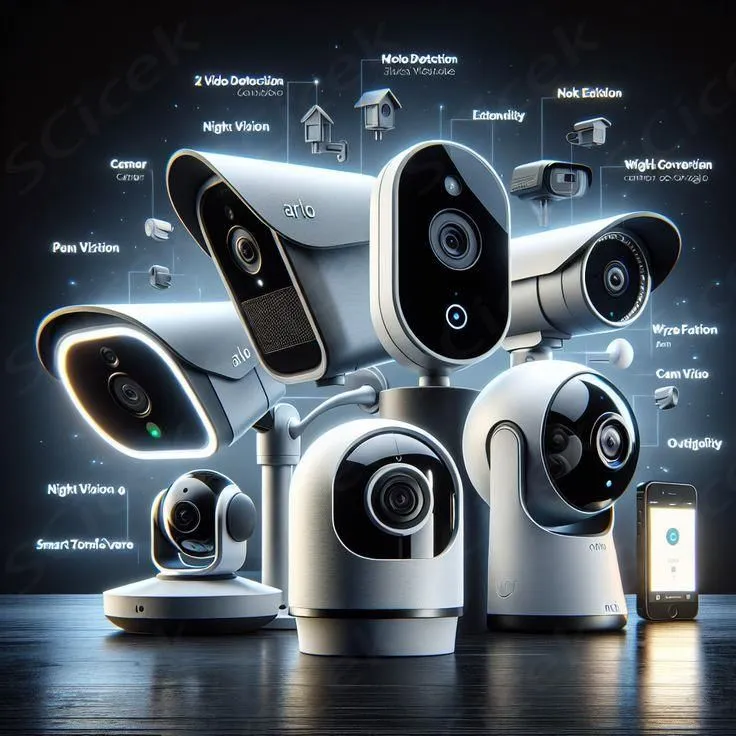
8. Lorex 4K Smart Camera – Best Professional Home Surveillance
If you need professional-grade home security, the Lorex 4K Smart Camera is a strong choice. It delivers ultra-high-resolution video, advanced AI detection, and dependable performance for larger homes and businesses.
Its detailed footage makes it easier to identify faces, vehicles, and other important activity around your property.
Key Features
- 4K Ultra HD recording
- Smart motion detection
- Color night vision
- Local recording
- IP67 weatherproof rating
- Two-way audio
Pros
- Professional-quality video
- Excellent night vision
- Reliable local storage
- Durable construction
- Accurate AI detection
Cons
- Higher price
- Installation can be more complex
Best For
Large homes and users seeking professional surveillance quality.
9. Wyze Cam v4 – Best Budget Indoor Camera
The Wyze Cam v4 continues to be one of the best-value indoor security cameras. It delivers impressive video quality, color night vision, AI-powered alerts, and smart home compatibility at a very affordable price.
Its compact size also makes it suitable for monitoring pets, children, garages, or living rooms.
Key Features
- 2.5K QHD resolution
- Color night vision
- Motion detection
- Two-way audio
- Local recording
- Google Assistant and Alexa support
Pros
- Outstanding value
- Sharp image quality
- Compact design
- Easy setup
- Supports local storage
Cons
- Outdoor accessories sold separately
- Premium AI features require a subscription
Best For
Budget-conscious buyers looking for an indoor smart camera.
10. Aqara Camera Hub G5 Pro – Best for Matter Smart Homes
The Aqara Camera Hub G5 Pro combines home security with smart home automation. In addition to recording high-quality video, it functions as a Matter-compatible smart home hub, helping connect and control other compatible devices.
Its AI-powered recognition features and Apple Home integration make it particularly attractive for users building a future-ready smart home.
Key Features
- 2.6K video recording
- Matter support
- Apple Home integration
- AI face and motion detection
- Built-in smart home hub
- Two-way audio
Pros
- Excellent Matter compatibility
- Smart home hub functionality
- Reliable AI features
- Premium build quality
- Secure local automation
Cons
- Premium pricing
- Best experience within the Aqara ecosystem
Best For
Users building a Matter-enabled smart home.
Comparison Table
| Camera | Resolution | Battery | AI Detection | Local Storage | Best For |
| Arlo Pro 5S | 2K HDR | ✅ | ✅ | Optional | Overall Best |
| Google Nest Cam | 1080p HDR | ✅ | ✅ | Cloud | Google Users |
| Ring Stick Up Cam Pro | 1080p HDR | Optional | ✅ | Cloud | Alexa Users |
| Eufy SoloCam S340 | 3K + 2K | Solar | ✅ | ✅ | Solar Security |
| Reolink Argus 4 Pro | 4K | ✅ | ✅ | ✅ | 4K Recording |
| TP-Link Tapo C425 | 2K | ✅ | ✅ | ✅ | Budget Outdoor |
| Blink Outdoor 4 | 1080p | ✅ | Basic | Optional | Battery Life |
| Lorex 4K | 4K | Wired | ✅ | ✅ | Professional Security |
| Wyze Cam v4 | 2.5K | Wired | ✅ | ✅ | Budget Indoor |
| Aqara G5 Pro | 2.6K | Wired | ✅ | ✅ | Matter Homes |
Which Security Camera Should You Buy?
Your ideal security camera depends on your specific needs:
- Best Overall: Arlo Pro 5S
- Best Budget: TP-Link Tapo C425
- Best Indoor Camera: Wyze Cam v4
- Best Outdoor Camera: Eufy SoloCam S340
- Best 4K Camera: Reolink Argus 4 Pro
- Best Battery Life: Blink Outdoor 4
- Best for Google Home: Google Nest Cam (Battery)
- Best for Alexa: Ring Stick Up Cam Pro
- Best Matter-Compatible Camera: Aqara Camera Hub G5 Pro
- Best Professional System: Lorex 4K Smart Camera
Smart Security Camera Buying Guide
Choosing the right smart security camera isn’t simply about buying the model with the highest resolution. The best camera depends on where you plan to install it, the features you need, your budget, and whether it fits into your existing smart home setup.
Before purchasing a security camera, consider these important factors.
1. Indoor or Outdoor Use
Start by deciding where you’ll install the camera.
Indoor cameras are ideal for monitoring children, elderly family members, pets, garages, or living rooms. They are usually smaller, easier to install, and more affordable.
Outdoor cameras are designed to withstand rain, dust, heat, and cold temperatures. Look for models with an IP65 or IP66 weather-resistance rating if they’ll be exposed to the elements.
2. Video Resolution
The higher the resolution, the clearer the recorded footage.
- 1080p (Full HD): Good for everyday home monitoring.
- 2K/QHD: Sharper images with better facial detail.
- 4K Ultra HD: Excellent for identifying faces, license plates, and fine details.
For most homeowners, 2K resolution offers the best balance between image quality and storage requirements.
3. Night Vision Performance
Most security incidents happen after dark, so reliable night vision is essential.
Look for cameras with:
- Color night vision
- Infrared LEDs
- Built-in spotlights
- HDR support for difficult lighting conditions
These features help capture clearer footage in low-light environments.
4. AI Motion Detection
Modern smart cameras use artificial intelligence to reduce false alerts.
Advanced models can distinguish between:
- People
- Vehicles
- Pets
- Packages
This helps prevent unnecessary notifications caused by moving trees, rain, or passing animals.
5. Storage Options
Security cameras generally offer three storage methods.
Cloud Storage
Cloud storage keeps recordings online and makes them accessible from anywhere. However, many brands charge a monthly subscription fee.
Local Storage
Many cameras support microSD cards or built-in storage, allowing you to save recordings without recurring costs.
Network Video Recorder (NVR)
For larger properties, an NVR system provides centralized recording for multiple cameras with greater storage capacity.
6. Smart Home Compatibility
If you already use a smart home platform, choose a camera that integrates with it.
Popular ecosystems include:
- Google Home
- Amazon Alexa
- Apple Home
- Matter-compatible systems
A compatible camera allows you to control devices using voice commands, routines, and automation.
10 Best Smart Door Locks for Home Security in 2026
Wired vs Wireless Security Cameras
One of the most common questions buyers ask is whether they should choose a wired or wireless camera.
| Feature | Wired Camera | Wireless Camera |
| Installation | More Complex | Easier |
| Reliability | Excellent | Very Good |
| Battery Maintenance | None | Recharge Required |
| Flexibility | Limited | High |
| Best For | Permanent Installations | DIY Homeowners |
If you’re renting or prefer a quick installation, a wireless camera is often the better choice. If you need continuous recording and maximum reliability, a wired system may be more suitable.
Tips for Installing Smart Security Cameras
Even the best camera won’t perform well if it’s installed incorrectly.
For better coverage:
- Mount cameras 8–10 feet above the ground.
- Avoid pointing cameras directly at bright lights.
- Cover entry points such as front doors, garages, and backyards.
- Ensure your Wi-Fi signal is strong at the installation location.
- Clean the camera lens regularly to maintain image quality.
- Test motion detection zones after installation.
Proper placement can significantly improve detection accuracy and recording quality.
Privacy and Security Tips
Because smart cameras connect to the internet, protecting your account is just as important as securing your home.
Follow these best practices:
- Use a strong, unique password.
- Enable two-factor authentication (2FA).
- Keep camera firmware updated.
- Secure your home Wi-Fi network.
- Review camera permissions regularly.
- Avoid sharing permanent access with multiple users.
These simple steps help reduce the risk of unauthorized access.
FAQs
Are smart security cameras worth buying?
Yes. Smart security cameras provide real-time monitoring, instant alerts, and recorded footage that can help deter crime and give homeowners greater peace of mind.
Do smart cameras work without Wi-Fi?
Some cameras continue recording locally without Wi-Fi, but features such as remote viewing, cloud storage, and mobile notifications generally require an internet connection.
Can I install a smart security camera myself?
Most wireless cameras are designed for DIY installation and can be set up in less than an hour using basic tools.
Is cloud storage necessary?
Not always. Many cameras support local storage using a microSD card or an NVR. Cloud storage simply provides an additional layer of backup and remote access.
Which security camera is best overall?
For most homeowners, the Arlo Pro 5S offers an excellent balance of video quality, AI features, battery life, and smart home compatibility.
Which smart camera is best for Google Home?
The Google Nest Cam (Battery) is an excellent option for users who already use Google Home and other Nest devices.